
MLOps Central Platform Manual
Installation, administration, usage and integration manual for MLOps Central Platform.
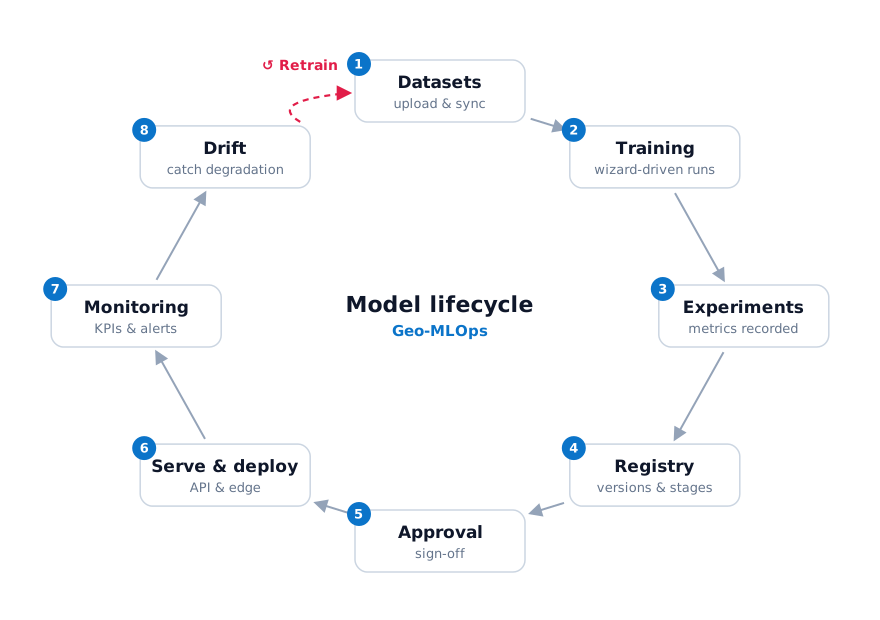
MLOps Central Platform is a platform that manages the lifecycle of machine-learning models.
It covers these stages: datasets → training → experiment tracking → model registry → approval → serving and field deployment → monitoring → retraining.
Where to start
| Task | Start here |
|---|---|
| Evaluate the platform | Why MLOps |
| Install and operate the platform | Installation → Administration |
| Manage a tenant's members, tokens and training environment | Administration |
| Upload data, train and deploy models | User guide |
| Build training images or connect a DataOps system (partners) | Integration guide |
| Connect field (edge) devices | Edge SDK |
| Look up APIs, settings or permissions | Reference |
Conventions
- The platform UI is in Korean. Button and menu names are shown as English name (한국어 label) so you can find them on screen.
- Red numbers in screenshots (①②③) are explained with the same numbers in the text. Click a screenshot to enlarge it.
- The 🔑 badge at the top of a page is the permission you need for that feature. See Roles and permissions.
- Replace the tenant
DEMO, accounts at@example.comand the hostmlops.example.comwith your own values. - Use 한국어 at the top right for the Korean original, and Ctrl+K to search.